
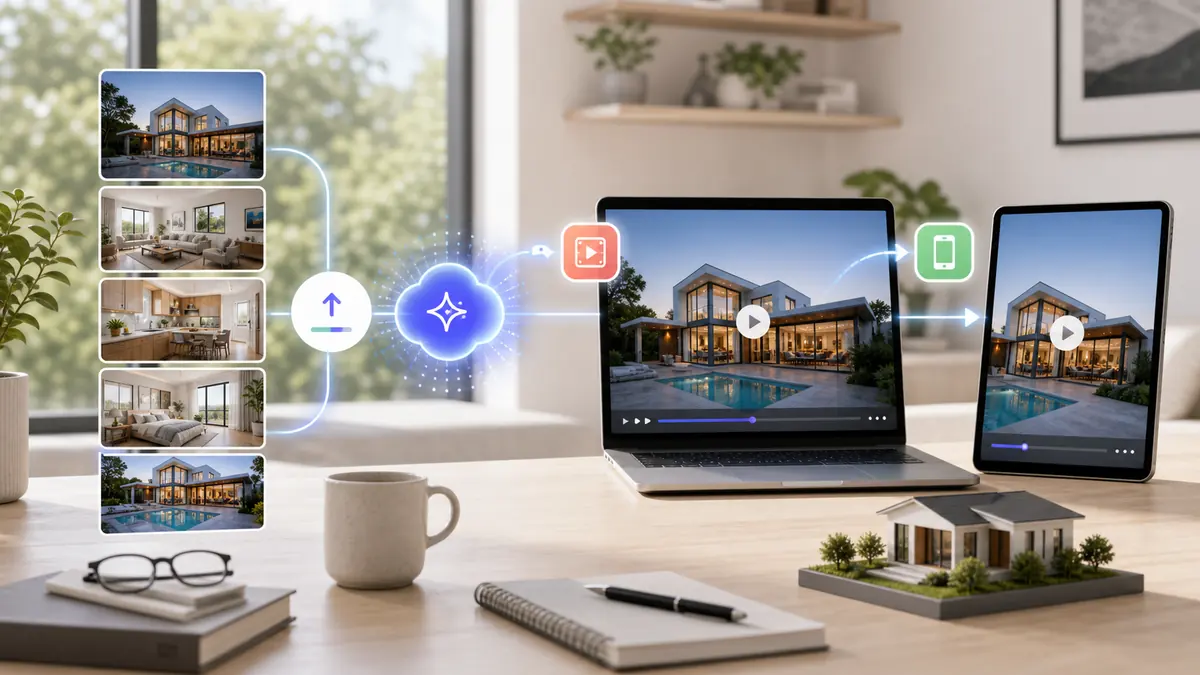
A real estate video maker turns property photos into listing videos agents can publish on MLS, Zillow, Instagram Reels, TikTok, YouTube, and listing landing pages. AI tools like ReelTourStudio remove the filming and editing work by creating polished photo-to-video walkthroughs from the listing media agents already have.
A real estate video maker should make video feel like part of every listing workflow, not a special project you only do for premium homes. In 2026, agents need listing videos for MLS pages, social reels, email follow-up, paid ads, and seller presentations. The easiest way to keep up is to turn the photos you already have into polished property videos without opening an editing timeline.
On this page
What Is a Real Estate Video Maker?
A real estate video maker is software that helps agents create property videos for listings, social media, and client marketing. The best tools do more than stitch photos together. They add motion, pacing, music, export formats, and a workflow that fits how agents actually launch listings.
For most agents, the practical version is an AI real estate video maker. Instead of filming a walkthrough or learning video editing software, you start with listing photos and generate a finished video that can be reviewed, exported, and published in minutes.
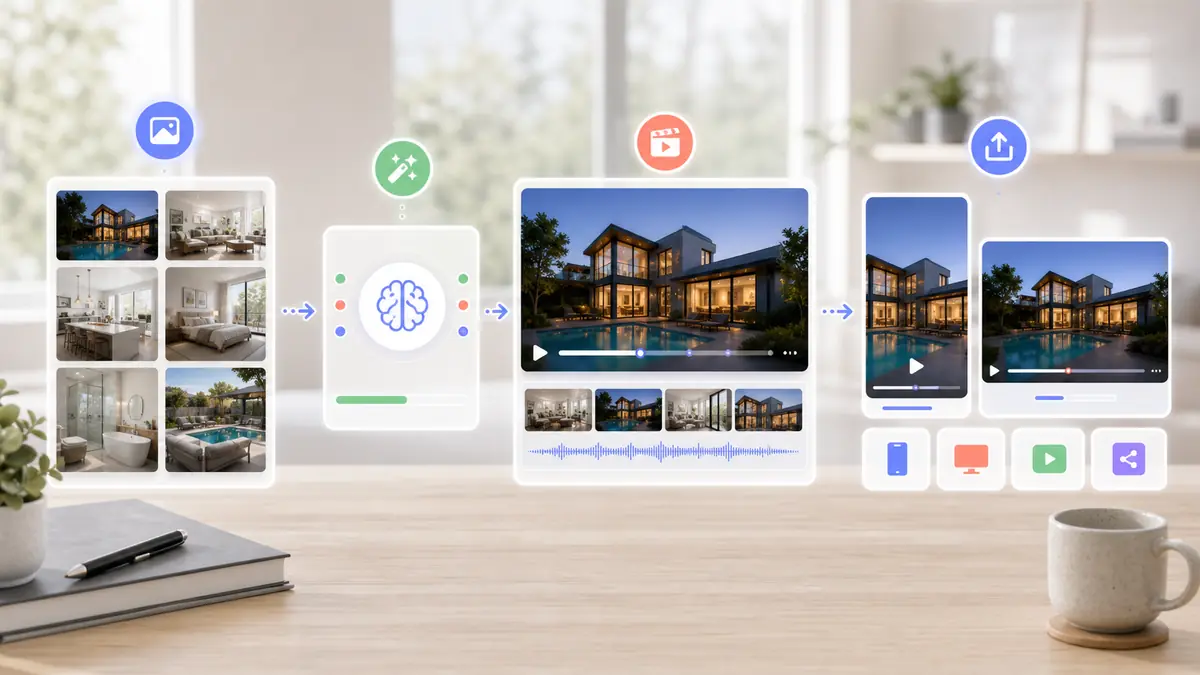
The point is not to make agents into editors. The point is to make every listing video-ready.
Why Agents Use AI Instead of Manual Editing
Manual editing creates friction at the exact moment an agent needs speed. New listings need marketing assets immediately, and every extra handoff slows the launch. AI video creation makes the workflow repeatable enough to use on every property.
| Workflow | Best For | Tradeoff |
|---|---|---|
| Hiring a videographer | Luxury listings and brand films | Higher cost and slower turnaround |
| Manual editing software | Agents with editing skill and time | Hard to repeat across every listing |
| Generic slideshow maker | Simple low-stakes photo videos | Often looks static or template-heavy |
| AI real estate video maker | Fast listing videos from existing photos | Quality depends on the source photo set |
Choose the workflow based on volume, turnaround time, and the quality bar for the listing.
How to Make Real Estate Videos From Listing Photos
The cleanest workflow starts with the listing media you already use for MLS and Zillow. You do not need a separate shoot if the property photos are sharp, bright, and cover the full home.
1. Choose the strongest photo set
Start with exterior, living room, kitchen, primary bedroom, bathrooms, outdoor space, and any standout feature. AI video works best when the photo set already tells a complete property story.
2. Arrange the listing like a real tour
A natural order usually works best: exterior, entry, main living areas, kitchen, bedrooms, bathrooms, outdoor space, and final hero shot. This keeps the video from feeling random.
3. Generate vertical and horizontal versions
Use 9:16 for Instagram Reels, TikTok, and YouTube Shorts. Use 16:9 for MLS, Zillow, YouTube, website embeds, and listing presentations.
4. Review for accuracy
Make sure the video represents the actual property, does not overemphasize weak photos, and gives enough time to the most important rooms.
Where to Publish a Real Estate Video
One listing video can feed several channels if you create the right formats. The goal is to make the same property feel alive wherever buyers discover it.
MLS, Zillow, and listing portals
Use the horizontal version here. Buyers are already evaluating the home, so the video should feel clear, polished, and easy to watch.
Instagram Reels, TikTok, and YouTube Shorts
Use the vertical version here. Keep the opening strong, show the best room early, and make the video short enough for casual scrolling.
Email and seller updates
Use the listing video in launch emails, open house reminders, price-drop updates, and seller reports. Video makes the marketing effort feel more tangible.
What to Look for in a Real Estate Video Maker
The right tool should reduce production work, not create a new workflow to babysit. Before choosing one, check the basics.
Photo-to-video quality
The output should feel like a polished property tour, not a basic slideshow with zoom effects.
Fast turnaround
If a video takes hours to create, agents will not use it consistently. Aim for a workflow that produces a reviewable draft in minutes.
Multiple aspect ratios
A serious real estate video maker should support vertical and horizontal exports because listing portals and social platforms need different formats.
Repeatable pricing
Flat monthly pricing usually works better than high per-video pricing because agents need volume to make video a habit.
Real Estate Video Maker Features That Matter
Many video tools look similar from the outside, but listing marketing has a few requirements that generic editors often miss. Agents need a workflow that respects property photos, keeps the home easy to understand, and produces assets quickly enough for a launch calendar.
The best evaluation question is simple: would you use this for every listing, or only when you have extra time? If the answer is only occasionally, the tool is probably too heavy for day-to-day real estate marketing.
| Feature | Why Agents Need It | What to Check |
|---|---|---|
| Photo-first creation | Most listings already have professional photos | Can you start from MLS-ready photos without filming? |
| Tour-like sequencing | Buyers need a clear sense of the property flow | Does the video move from exterior to interior naturally? |
| Vertical and horizontal exports | Social feeds and listing portals use different shapes | Can one project produce both 9:16 and 16:9? |
| Fast regeneration | Agents need to fix weak drafts without editing timelines | Can you remove photos and recreate the video quickly? |
| Brand-safe output | The video represents the agent and brokerage | Does it look polished enough for seller-facing marketing? |
A useful listing video tool should make every property easier to market, not just produce a one-off asset.
How to Choose Photos for Better Listing Videos
The quality of the final video depends heavily on the photos you feed into it. A strong photo set gives the tool enough visual information to create a property story instead of a random sequence of rooms.
Use complete coverage, not every photo
More photos are not always better. Choose the images that explain the property: front exterior, entry, main living area, kitchen, dining, bedrooms, bathrooms, outdoor space, amenities, and one closing hero image. Skip duplicate angles that slow the video down.
Remove images that weaken trust
Delete dark rooms, awkward corners, blurry shots, overly wide distortion, messy details, or photos that make the layout confusing. A video moves quickly, so every image needs to earn its place.
Lead with the strongest promise
If the home has a dramatic kitchen, view, pool, renovated living area, or standout exterior, show that strength early. Viewers decide fast, especially on social feeds, so the opening seconds should reward attention.
Match the video to the listing price point
A luxury listing may need slower pacing and fewer images. A starter home or rental may benefit from a tighter, direct tour that quickly answers layout and condition questions.
Real Estate Video Maker vs. Video Editing Software
A traditional editor gives you control, but control is not always the bottleneck. Most agents are not trying to build a film from scratch. They are trying to publish a professional listing asset without losing half a day.
Dedicated listing video workflows are better when speed, consistency, and repeatability matter more than frame-by-frame editing. Manual software still has a place for brand films, neighborhood videos, agent introductions, and premium custom productions.
| Need | Dedicated listing tool | Manual editor |
|---|---|---|
| Create a video from property photos quickly | Best fit | Possible but slower |
| Create the same asset for every listing | Best fit | Harder to repeat |
| Build a custom cinematic brand film | Limited | Best fit |
| Train assistants or team members | Easier | Requires editing knowledge |
| Produce social and portal formats together | Usually built in | Requires manual resizing |
For listing volume, the simpler repeatable workflow usually wins.
A Repeatable Listing Video Workflow for Agents
The easiest way to make video consistent is to attach it to the same listing launch checklist you already use for photos, MLS copy, signage, email, and social posts.
Before the listing goes live
Collect final photos, remove weak images, choose the opening shot, generate both aspect ratios, and save the files with a naming convention that includes the property address or MLS number.
Launch day
Add the horizontal version to the listing page, YouTube, and any portal that supports video. Publish the vertical version as a Reel or Short with a clear property hook and a link back to the listing.
First weekend
Reuse the video for open house reminders, email follow-up, and seller updates. A listing video is not just a social post. It is a reusable marketing asset.
After feedback or price changes
Refresh captions, create a shorter cut, or regenerate the video with a different opening image. Small updates can make the same media feel new without starting over.
Common Mistakes to Avoid
The most common mistake is treating a listing video like a decoration instead of a sales asset. A pretty video still needs to explain the property clearly.
Another mistake is using the same pacing for every home. A condo, luxury estate, vacant lot, new construction property, and suburban family home each need a slightly different rhythm because buyers are looking for different proof points.
Do not overload the video with every image
If the listing has 45 photos, the video probably does not need all 45. Keep the pace tight and use only the images that help a buyer understand the home.
Do not ignore horizontal video
Vertical content is important for discovery, but buyers still evaluate listings on websites, portals, YouTube, and larger screens. Horizontal exports remain useful.
Do not use misleading motion
Motion should make the property easier to understand. It should not exaggerate room size, hide condition issues, or make the layout feel different from reality.
How Teams and Brokerages Can Standardize Listing Videos
Solo agents often start with one listing at a time. Teams and brokerages need a repeatable system across many listings, assistants, and markets. That means the tool has to be simple enough for anyone on the marketing team to use consistently.
A standardized workflow also makes seller presentations stronger. Instead of promising video as a premium add-on, the team can show that every listing receives a modern video asset as part of the normal launch package.
Create a media intake checklist
Ask for final photos, address, listing highlights, preferred music style, target launch date, and any rooms that must be emphasized. This keeps the production process organized.
Use consistent export naming
Name files by property and format, such as address-vertical-reel and address-horizontal-listing. Clear names prevent mistakes when multiple listings are launching at once.
Track which channels use each video
Keep a simple record of where each video was published: MLS, listing page, YouTube, Instagram, TikTok, email, ads, and seller report. This makes marketing easier to prove later.
How to Measure Whether Listing Videos Are Working
Video performance should be measured by how well it supports the listing, not only by likes. The best signals combine buyer engagement, seller confidence, and marketing reuse.
Track discovery metrics
Watch views, completion rate, saves, shares, profile visits, and listing clicks from vertical posts. These signals show whether the video is creating attention.
Track buyer intent
Look for showing requests, listing page visits, open house signups, and direct replies after video promotion. These signals matter more than vanity metrics.
Track seller-facing value
Use the video in seller updates and listing reports. Even when the video does not directly create a lead, it helps prove that the property is being marketed actively.
Why ReelTourStudio Fits This Workflow
ReelTourStudio is built around the core job agents need done: turn listing photos into real estate videos quickly. It is designed for property marketing, not generic social editing.
That matters because real estate video has a different goal than general content creation. The video needs to show the home clearly, support the listing launch, and give agents a reusable marketing asset without adding production overhead.
Recommended next reads
AI real estate video maker
Use ReelTourStudio to turn listing photos into professional real estate videos for MLS, Instagram, TikTok, YouTube, and listing pages.
AI real estate video generator
Turn listing photos into AI real estate videos for every listing launch channel.
Turn real estate photos into video
See the photo order, formats, and workflow for creating listing videos from property photos.
Real estate video app guide
Compare the app features that matter for agents, teams, and listing marketing workflows.
Real estate video editing software
Learn when AI video tools beat manual editing software for repeatable listing videos.
AI real estate video guide
Read the full guide to AI-generated real estate videos, costs, workflows, and best practices.
A Few Common Questions
What is the best way to make real estate videos quickly?
The fastest workflow is to use an AI real estate video maker that turns existing listing photos into a finished video. This avoids filming, manual editing, and back-and-forth with outside vendors.
Can I make real estate videos without filming?
Yes. If you have high-quality listing photos, AI photo-to-video tools can create a polished property video without filming a walkthrough.
What format should real estate videos use?
Use 9:16 vertical video for Instagram Reels, TikTok, and YouTube Shorts. Use 16:9 horizontal video for MLS, Zillow, YouTube, websites, and listing presentations.
Is an AI real estate video maker better than a slideshow maker?
Usually, yes. A slideshow maker simply moves through photos. An AI real estate video maker is designed to add more intentional motion, pacing, music, and export formats for property marketing.
Who should use a real estate video maker?
Agents, teams, brokerages, property managers, and listing marketers should use a real estate video maker when they need repeatable listing videos without hiring a videographer for every property.
Turn Listing Photos Into
Polished Property Videos.
Create branded real estate videos in minutes with ReelTourStudio. No filming, no editing, and no waiting on an outside production team.
Create your first videoKeep Reading
Related real estate video guides
How to Turn Real Estate Photos Into Video in 2026
Turn real estate photos into video with AI. Learn the best photo order, formats, uses, and workflow for creating listing videos from property photos.
Read guidetutorialsCreate Real Estate Video Walkthroughs That Sell
Learn how to create compelling real estate video walkthroughs that showcase properties effectively and convert viewers into buyers. Step-by-step guide included.
Read guidemarketingReal Estate Video Marketing: How Agents Turn Listing Videos Into Leads
Learn how agents use real estate videos for marketing across listings, social posts, email, seller updates, and ads without filming every property.
Read guide