
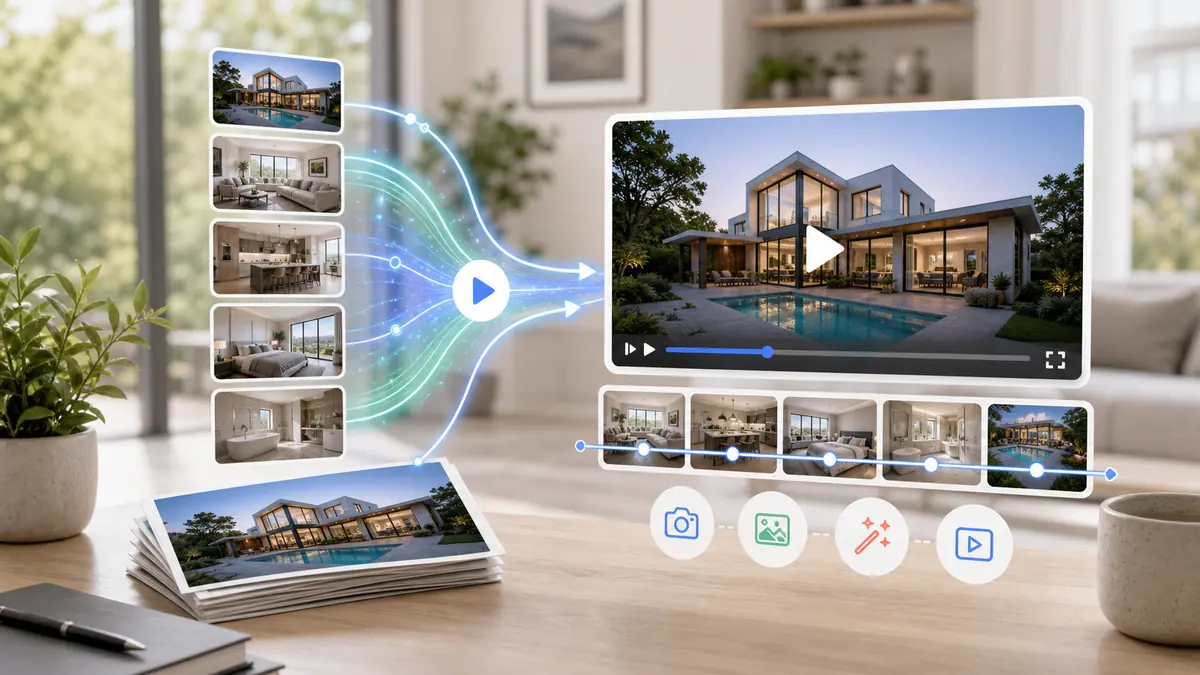
You can turn real estate photos into video by uploading a complete listing photo set to an AI photo-to-video tool, arranging the photos in a natural property-tour order, generating vertical and horizontal exports, then reviewing the video for accuracy before publishing it on MLS, Zillow, Instagram Reels, TikTok, YouTube, and listing pages.
Most agents already have the raw material for a strong listing video: professional property photos. The problem is not media capture. The problem is turning those photos into a video quickly enough to support every listing launch. AI photo-to-video tools solve that by using the listing photos you already have and creating a polished property video in minutes.
On this page
Why Photo-to-Video Works for Real Estate
Real estate buyers do not always need a fully filmed walkthrough to understand a property. They need motion, flow, pacing, and a clear sense of the strongest spaces. A good photo-to-video workflow gives them that while letting agents avoid a separate video shoot.
This works especially well because listing photography is already designed to show the home clearly. AI video simply turns those static listing assets into a more engaging format for portals, social feeds, ads, and email.
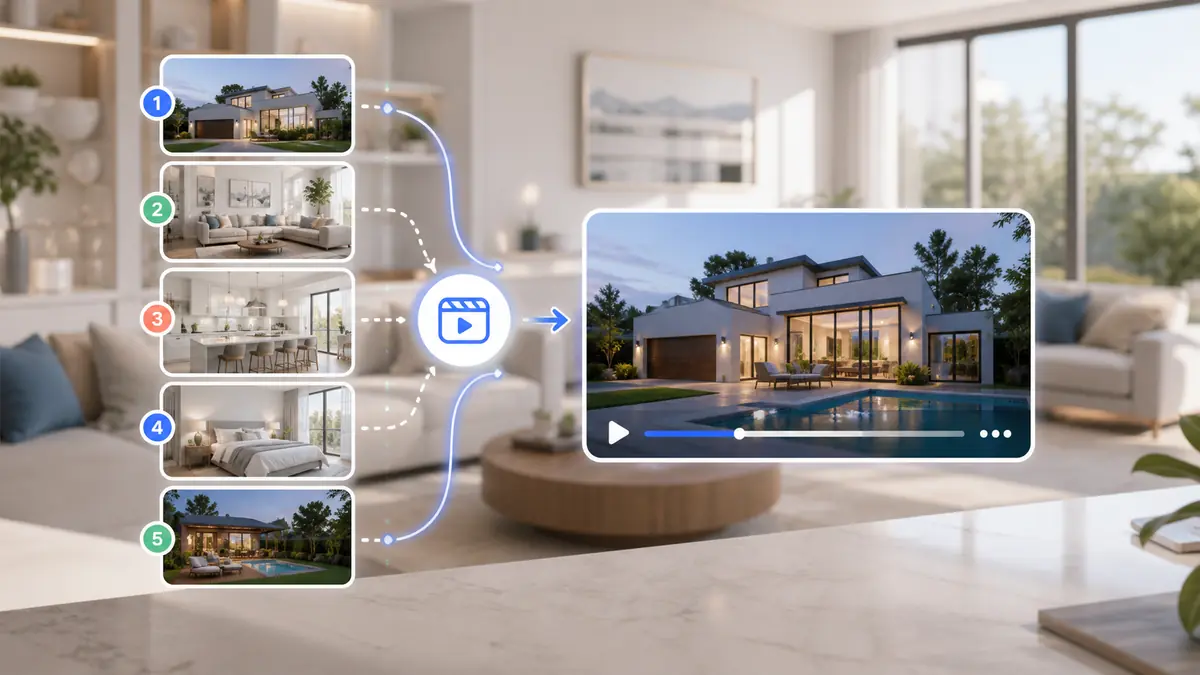
If the photos already sell the property, AI video gives them motion and reach.
The Best Photo Order for a Listing Video
The order matters because the video should feel like a property tour, not a random gallery. Start with context, move through the main living experience, then finish with the strongest selling points.
| Order | Photo Type | Why It Works |
|---|---|---|
| 1 | Exterior or curb appeal | Sets context and makes the listing recognizable |
| 2 | Entry or main living area | Pulls the viewer into the home quickly |
| 3 | Kitchen | Usually one of the highest-interest rooms |
| 4 | Living and dining spaces | Shows flow and everyday use |
| 5 | Primary bedroom and bath | Highlights comfort and private space |
| 6 | Secondary rooms | Adds completeness without dragging the pace |
| 7 | Outdoor space or standout feature | Ends on a memorable selling point |
A simple order keeps photo-based real estate videos clear and easy to follow.
How to Turn Listing Photos Into a Video
The workflow should be simple enough to repeat for every new listing.
Upload the listing photos
Use the photos from your MLS or property photographer. Remove blurry, duplicate, dark, or awkward images before generating the video.
Choose the output format
Generate a vertical version for social media and a horizontal version for listing portals, YouTube, and websites.
Let AI create the first draft
The AI applies motion, transitions, timing, and music so the listing feels more dynamic than a slideshow.
Review and regenerate if needed
If one image weakens the video, remove it or change the photo order. Regenerating is usually faster than manually editing a timeline.
Where Photo-to-Video Helps Most
Photo-to-video is strongest when speed and repeatability matter. It lets agents create a video asset for listings that might not justify a full video shoot but still deserve better marketing than photos alone.
Standard residential listings
These listings need strong marketing, but hiring a videographer for every one can become expensive. AI video keeps the presentation level high without raising production cost per property.
Coming soon and just listed campaigns
A photo-to-video workflow helps agents launch video content the same day photos are ready, which is exactly when attention matters most.
Seller reporting
A polished listing video makes it easier to show sellers that their property is being actively marketed across modern channels.
How to Prepare Listing Photos Before Generating Video
The best photo-based property videos start before the software does anything. A little cleanup at the source makes the finished video feel more intentional, more accurate, and more useful for buyers.
Think of the photo set as the script. If the images are out of order, repetitive, or missing key rooms, the video will inherit those problems. If the images tell a clear story, the video can move quickly while still making sense.
Remove duplicate angles
Two or three versions of the same room can slow the pacing. Choose the clearest angle and cut the rest unless each image reveals a meaningfully different part of the space.
Balance wide shots with detail shots
Wide shots explain layout. Detail shots show finishes, views, fixtures, fireplaces, pools, outdoor kitchens, and other selling points. A good video usually needs both.
Check the first and last image
The first image earns attention, and the final image leaves the impression. Use a strong exterior, hero living space, kitchen, view, or lifestyle feature for those two moments.
Keep the home accurate
Do not choose photos that make rooms look materially larger, brighter, or newer than they are. The video should increase engagement while still setting honest expectations.
Best Video Formats for Each Marketing Channel
One finished asset is rarely enough because listing discovery happens in multiple places. The same home may need a vertical social cut, a horizontal listing cut, and a short teaser for email or ads.
| Channel | Best Format | Recommended Use |
|---|---|---|
| Instagram Reels | 9:16 vertical | Short listing teaser, strongest room early |
| TikTok | 9:16 vertical | Fast-paced tour with an immediate hook |
| YouTube Shorts | 9:16 vertical | Discovery-friendly version for buyers and sellers |
| YouTube | 16:9 horizontal | Full property video or listing archive |
| MLS and portals | 16:9 horizontal | Clear buyer-facing overview of the home |
| Listing page | 16:9 horizontal | Embedded tour next to photos and property details |
| Email and seller updates | Either format | Proof of marketing activity and easy sharing |
Create channel-specific exports so the property looks native wherever buyers encounter it.
Photo-to-Video Workflow for Different Property Types
Not every listing should use the same pacing or emphasis. The core workflow stays simple, but the order and length should match what buyers care about for that property.
Condos and apartments
Prioritize layout clarity, natural light, amenities, building exterior, parking, views, and neighborhood convenience. These listings often work well as shorter videos because buyers are comparing many similar units.
Single-family homes
Show curb appeal, entry, living flow, kitchen, bedrooms, bathrooms, yard, garage, and any renovation or lifestyle feature. Buyers need to understand how the home lives day to day.
Luxury listings
Use slower pacing, fewer weak images, and more emphasis on craftsmanship, views, amenities, grounds, and arrival moments. Luxury video should feel deliberate, not rushed.
Vacant or staged homes
Use the clearest angles and avoid lingering too long on empty rooms. If staged photos are available, lead with them because they help viewers understand scale and use.
New construction
Highlight exterior renderings or finished photos, kitchen and bath finishes, floor plan logic, community features, and builder upgrades. If construction is incomplete, be clear about what is shown.
How to Make a Photo-Based Listing Video Feel Less Like a Slideshow
The difference between a basic slideshow and a polished property video is not only motion. It is the feeling that each image appears for a reason and that the viewer is being guided through the home.
A slideshow often treats every image equally. A better listing video gives more time to the rooms that sell the property and less time to filler images.
Vary the pacing by room importance
Hold slightly longer on the kitchen, living area, exterior, view, pool, or main suite. Move faster through secondary rooms, hallways, and utility spaces.
Avoid random zooming
Motion should support the image. Push in on a view, pan across an open living space, or create a gentle reveal of the kitchen. Avoid movement that feels unrelated to the photo.
Use music as support, not the whole story
Music can make the video feel polished, but it cannot fix confusing photo order. Start with a clean property sequence, then choose audio that fits the listing style.
Keep captions simple
If you add text, use short labels for major features, location, bed and bath count, price changes, or open house details. Too much text competes with the property.
What Makes a Good AI Real Estate Photo Video?
The best outputs feel intentional. The camera movement supports the room, the pacing keeps attention, and the video respects the actual property.
Clean source photos
Use bright, sharp, wide listing photos. AI cannot rescue a weak photo set, but it can make strong listing photography work harder.
Enough coverage
Include every major space. If a room is missing from the photo set, it will be missing from the video too.
Accurate presentation
Do not use AI to make a property feel materially different from reality. The goal is better marketing, not misleading marketing.
Channel-specific exports
A single 16:9 video is not enough. Create vertical and horizontal versions so the same listing works across discovery and search surfaces.
Common Mistakes When Turning Photos Into Video
Most weak outputs come from avoidable workflow mistakes rather than the idea of photo-to-video itself. Fixing these issues makes the finished video more useful across listing portals, social platforms, and seller reports.
Using too many photos
A long video with every available image can feel slow. Choose the photos that best explain the home and create separate cuts if you need a short teaser and a longer full tour.
Skipping exterior context
Buyers want to recognize the property. Even when the interior is the strongest selling point, include enough exterior context to ground the video.
Forgetting mobile viewers
Many buyers first see the property on a phone. A horizontal-only asset can work on listing pages, but social discovery usually needs a vertical version.
Publishing without review
Always watch the draft before publishing. Check for awkward transitions, missing rooms, overused images, inaccurate emphasis, and any photo that should be removed.
How Agents Can Reuse One Photo-to-Video Asset
A listing video made from photos should work harder than a single social post. Once the video exists, agents can reuse it across the full marketing cycle without creating new media from scratch.
This is where the workflow becomes valuable. The same property media can support buyer discovery, seller communication, paid promotion, open house reminders, and post-sale marketing proof.
Listing launch
Publish the video with the first wave of listing promotion. Use it on the listing page, social channels, YouTube, email announcements, and any portal that accepts video.
Open house promotion
Cut or reuse the vertical version with open house date, time, and neighborhood context. The video gives people a reason to stop scrolling before they read details.
Price adjustment or renewed push
When a listing needs fresh attention, regenerate the video with a new opening shot or shorter pacing. This lets the property reappear without looking identical.
Seller reporting
Include the video in updates to sellers so they can see the asset being used. It makes marketing activity visible and easier to understand.
Buyer follow-up
Send the video after showings or inquiries as a simple reminder of the property. It is easier to revisit than a long photo gallery.
When Photos Are Enough and When to Film
AI photo-to-video is a strong default for everyday listing volume, but it does not replace filming in every situation. The right choice depends on property value, timeline, budget, and the story the listing needs to tell.
For many homes, professional photos plus a polished video from those photos gives agents the speed and quality they need. For certain listings, filmed footage still adds something photos cannot capture.
| Scenario | Photo-to-video fit | Why |
|---|---|---|
| Standard residential listing | Strong fit | Fast, affordable, and repeatable for every launch |
| Coming soon campaign | Strong fit | Can be ready as soon as photos are available |
| Luxury estate with grounds | Use alongside filmed video | Drone, lifestyle, and movement may add value |
| Occupied home with limited access | Strong fit | Avoids scheduling another shoot |
| New construction community | Mixed fit | Photos work, but amenities and location may need extra footage |
Use filming when movement tells a story photos cannot. Use photo-to-video when speed and repeatability matter most.
How ReelTourStudio Handles Photo-to-Video
ReelTourStudio focuses on the listing workflow: take property photos, generate a real estate video, and export it for the channels where buyers and sellers actually see it.
That focus matters. Generic AI video tools can create many kinds of content, but real estate listing videos need a cleaner structure: property-first visuals, repeatable pacing, professional presentation, and formats agents can publish immediately.
Recommended next reads
Create AI real estate videos from listing photos
Use ReelTourStudio to turn listing photos into professional real estate videos for MLS, Instagram, TikTok, YouTube, and listing pages.
Real estate video maker
Compare the workflow for making listing videos from photos without manual editing.
AI real estate video guide
Understand how AI video fits into modern real estate listing marketing.
Real estate video app guide
See what agents should look for in an app built for listing videos.
Real estate video walkthroughs
Learn how to structure photo-based walkthrough videos that feel like a natural property tour.
A Few Common Questions
Can AI turn real estate photos into a video?
Yes. AI photo-to-video tools can turn listing photos into a property video with camera motion, pacing, music, and export-ready formats for real estate marketing.
How many photos do I need for a real estate video?
Most listing videos work well with 10 to 20 strong photos. Include the exterior, main living areas, kitchen, bedrooms, bathrooms, outdoor space, and any standout feature.
Is a video made from photos better than a slideshow?
A good AI photo-to-video output usually feels more polished than a slideshow because it adds motion, timing, music, and a tour-like structure instead of simply fading between images.
Where should I publish a video made from listing photos?
Publish vertical versions on Instagram Reels, TikTok, and YouTube Shorts. Publish horizontal versions on MLS, Zillow, YouTube, listing pages, and agent websites.
Do I need permission to use listing photos in an AI video?
You should only use photos you own or are licensed to use for listing marketing. If your brokerage or photographer gives you marketing rights to the photos, they can usually be used to create listing videos.
Turn Listing Photos Into
Polished Property Videos.
Create branded real estate videos in minutes with ReelTourStudio. No filming, no editing, and no waiting on an outside production team.
Create your first videoKeep Reading
Related real estate video guides
How to Make Real Estate Videos That Sell
Learn how to make real estate videos that showcase properties clearly, create a natural walkthrough, and turn viewers into interested buyers.
Read guidetutorialsReal Estate Video Maker for Listing Videos in 2026
Use an AI real estate video maker to turn listing photos into polished property videos for MLS, Instagram Reels, TikTok, YouTube, and listing pages.
Read guideindustryHow AI Real Estate Video Works for Real Estate Agents in 2026
Learn how AI turns listing photos into property videos, what agents should expect from the workflow, and how to publish the result across MLS and social channels in 2026.
Read guide